Agent Builders
Agent Builders
  • Home
  • instructions
  • More
    • Home
    • instructions
  • Home
  • instructions

Download Instructions

Register: Visit the OutSystems Sign Up page and select "Personal use" to ensure you get the free tier.


Verify: Check your email for a validation link and click it to activate your account (you usually have 48 hours to do this).


Set up Environment: Follow the on-screen prompts to provision your free personal cloud environment.


Download IDE: Download ODC Studio (the drag-and-drop development tool) onto your computer


To get into ODC, go first to:
https://www.outsystems.com/personaledition/


Click Open OutSystems


Log in. 


You might get redirected to a secondary log in, if so, log in again

You should arrive at a screen like this, which we call ODC Portal
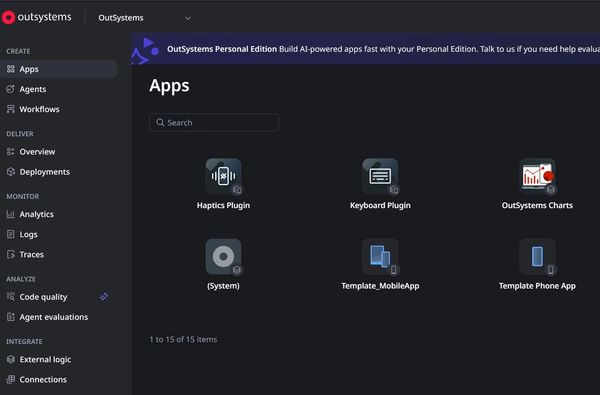
What you really need is the URL

It will look something like:


https://personal-asgferg.outsystems.dev/apps/


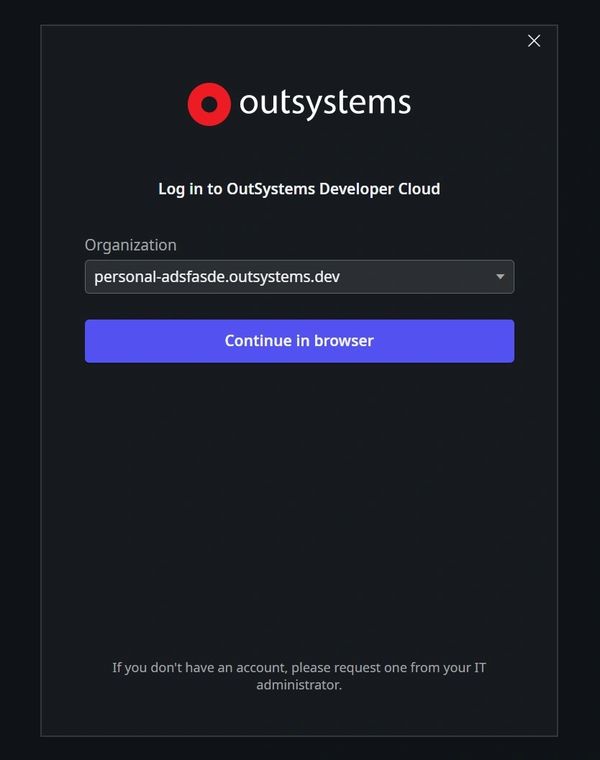
Copy this URL but remove the HTTPS:// and the /apps/ parts, we only need the base url
Copyright © 2026 Agent Builders - All Rights Reserved.

  • Privacy Policy

Powered by

This website uses cookies.

We use cookies to analyze website traffic and optimize your website experience. By accepting our use of cookies, your data will be aggregated with all other user data.

DeclineAccept